Features / Everywhere you run ads / Import and sync
What is already running comes in. What you change goes out.
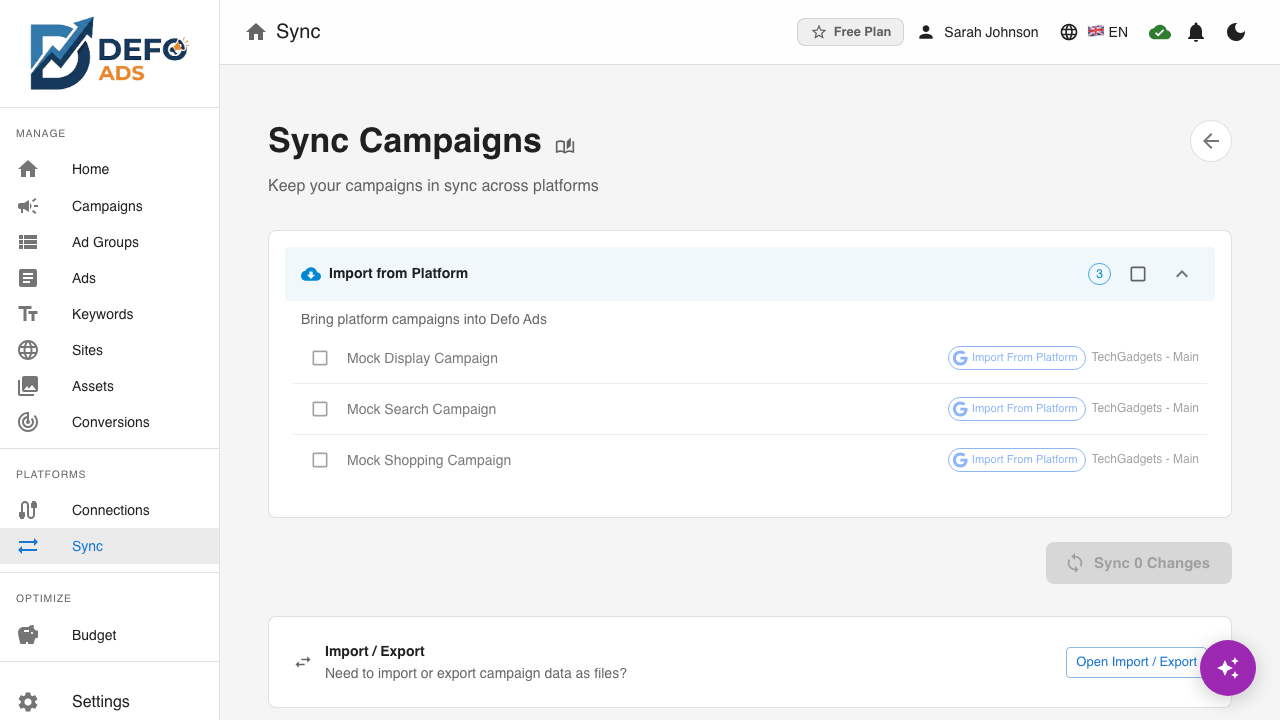
Connect an account and your live campaigns import as they are. Edits stay staged in Growomat until you push them, and every push is planned first so you can read exactly what will happen.
Reads
Your live campaigns, ad groups, ads and keywords from Google Ads, Microsoft Advertising, Reddit Ads and Meta Ads, plus the local edits you have staged.
Writes
A plan first: what will be created, updated or removed. Then, on your push, exactly that.
Will not do
Surprise writes. Nothing is pushed on connect, and nothing leaves Growomat without appearing in a plan you can read.
create
+3
update
~2
remove
0
nothing moves that was not in the plan
How it works
Connect and import
Existing campaigns come in as they are, including things Growomat did not create. Orphans are matched by name where that is safe.
Edit locally
Changes are staged in your workspace and validated against each platform's real rules while you type.
Preview the plan
Create, update and remove sets are computed by comparing local against remote. You read the plan before anything moves.
Push and verify
Writes are confirmed by reading the platform back, so the sync status you see reflects the platform, not our hopes.
What it will not do
Connecting is not consenting to changes. Importing never edits your live campaigns, and exporting happens only when you push.
Questions
No. Connecting imports what exists. Writes happen only when you push, and the plan shows exactly what a push will do first.
Google Ads, Microsoft Advertising, Reddit Ads and Meta Ads, through one identical flow. Each platform's own rules are applied during validation.
They import like everything else and stay recognisably yours. Growomat manages what you tell it to and leaves the rest alone.
Each item's result is recorded individually and shown with its platform error. Nothing is marked synced that the platform did not confirm.
See it on your own account
Connect a platform and read what comes back. Nothing goes live until you push it.
Start free